Context
Experimenting with Replit
Timeline
2-3 weeks in Feb 2025
HireUP — AI-assisted prototype exploration
A two-week Replit exploration testing how far AI-assisted coding can take a product designer beyond mockups.
The challenge
I had some downtime between assignments and wanted to use it to go beyond Figma. I had been thinking about internal HR tools for a while — specifically how much complexity sits behind something that looks simple on the surface. An employee list, a dashboard, a time-off request — these seem like straightforward UI patterns. The moment you add roles and permissions, every screen becomes conditional. I wanted to find out how far AI-assisted coding could take me before things broke down, and what that would teach me about product complexity.
What I did
I used Replit's AI agent to design and build a semi-functional HR platform prototype from scratch. I defined the product structure, the information architecture and the role-based logic first — then directed the AI to generate code, debug issues and iterate on the UI. I was not writing production code. I was making product decisions as they came up: what each role could see, how the data related, where the flows broke, what needed rethinking.
The outcome
Several areas reached a functional state — a connected database, a working employee list with filters, dashboard view and partial role-based experiences for four different roles. The org tree, the documents section and the time-off request flow didn't get finished.
The goals
Product goal
Test how much of a functional product experience a product designer can build alone using AI-assisted tools — without writing production code from scratch. The aim was not to ship a product. It was to understand where these tools genuinely accelerate work and where they fall short.
Learning goal
Move beyond static mockups to understand how product logic — role-based access, conditional UI, real data — actually behaves when it is running. Some decisions only become visible when you build, not when you sketch.
What I built
Defining the structure before starting in Replit
Defining the structure before touching the tool
Before opening Replit, I mapped out what the product needed: the main entities (employees, departments, roles, time-off), the relationships between them, and what each role could see and do. Admin, Manager, TAM and Employee each had different navigation, different data access and different actions available. I made these decisions before writing a single prompt. This turned out to matter a lot — the clearer my instructions, the more useful and consistent the AI's output was.
Employee management — where the AI genuinely helped
The employee list with filtering was one of the clearest successes. Filtering by department, manager and role worked correctly, with active filter chips and live results. The employee profile reached a solid level of detail — employment info, personal details, emergency contacts, financial and equipment tabs, edit states and history. These were the areas where AI-assisted coding genuinely accelerated the work, because the logic was clear and the patterns were consistent.
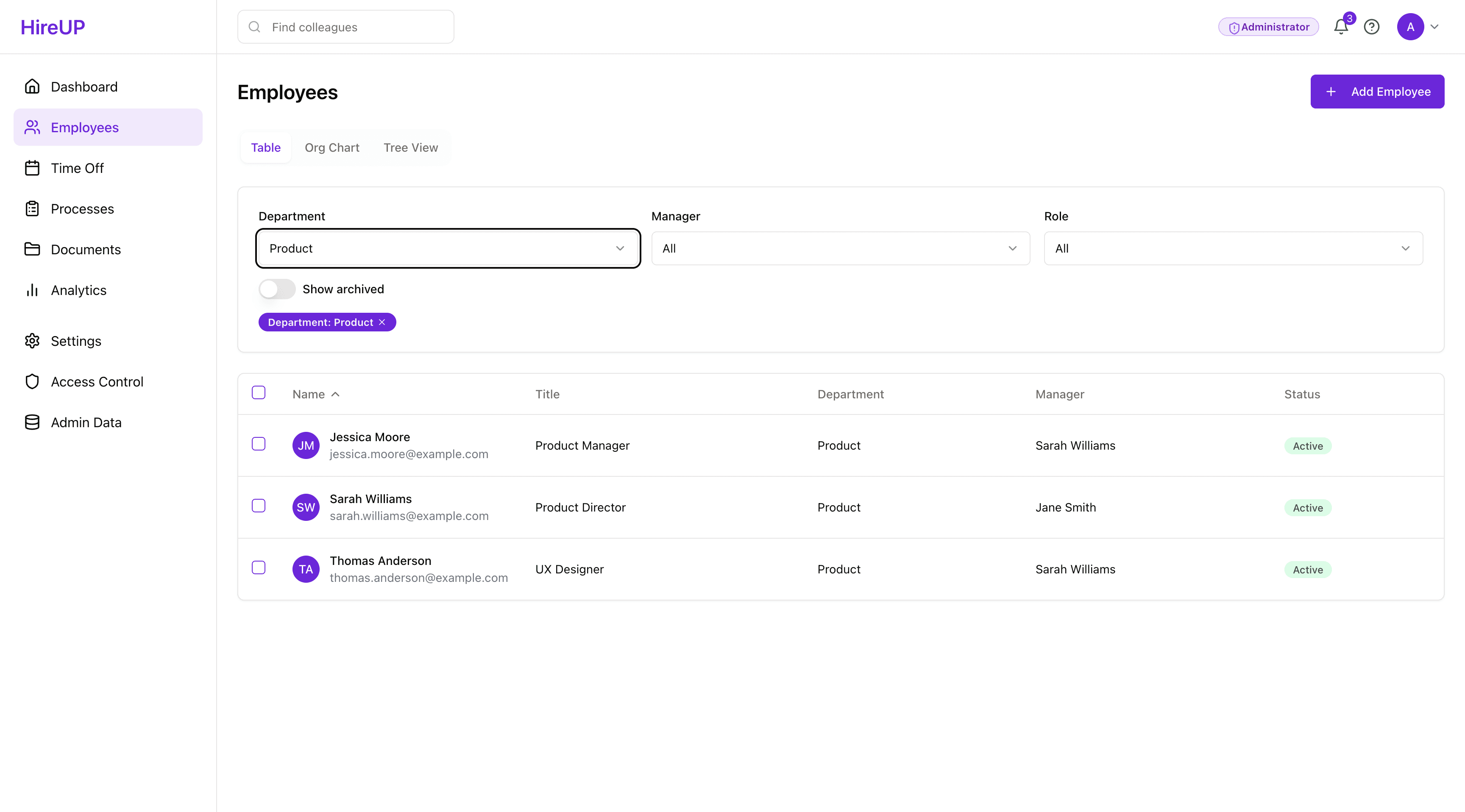
Employee filtering working correctly — department selected as "Product", with active filter chip and three results showing name, title, department, manager and status.
Role-based access — partial success, useful failure
One of the most interesting things to test was role-based access. Four roles were implemented — Administrator, TAM, Manager and Employee — each with different navigation and data visibility. Role switching worked via the profile menu. The TAM dashboard showed a simpler view than Admin. The Employee view had reduced navigation. Getting these to behave consistently across edge cases was where the AI needed the most detailed guidance, and where the logic became most time-consuming to maintain.
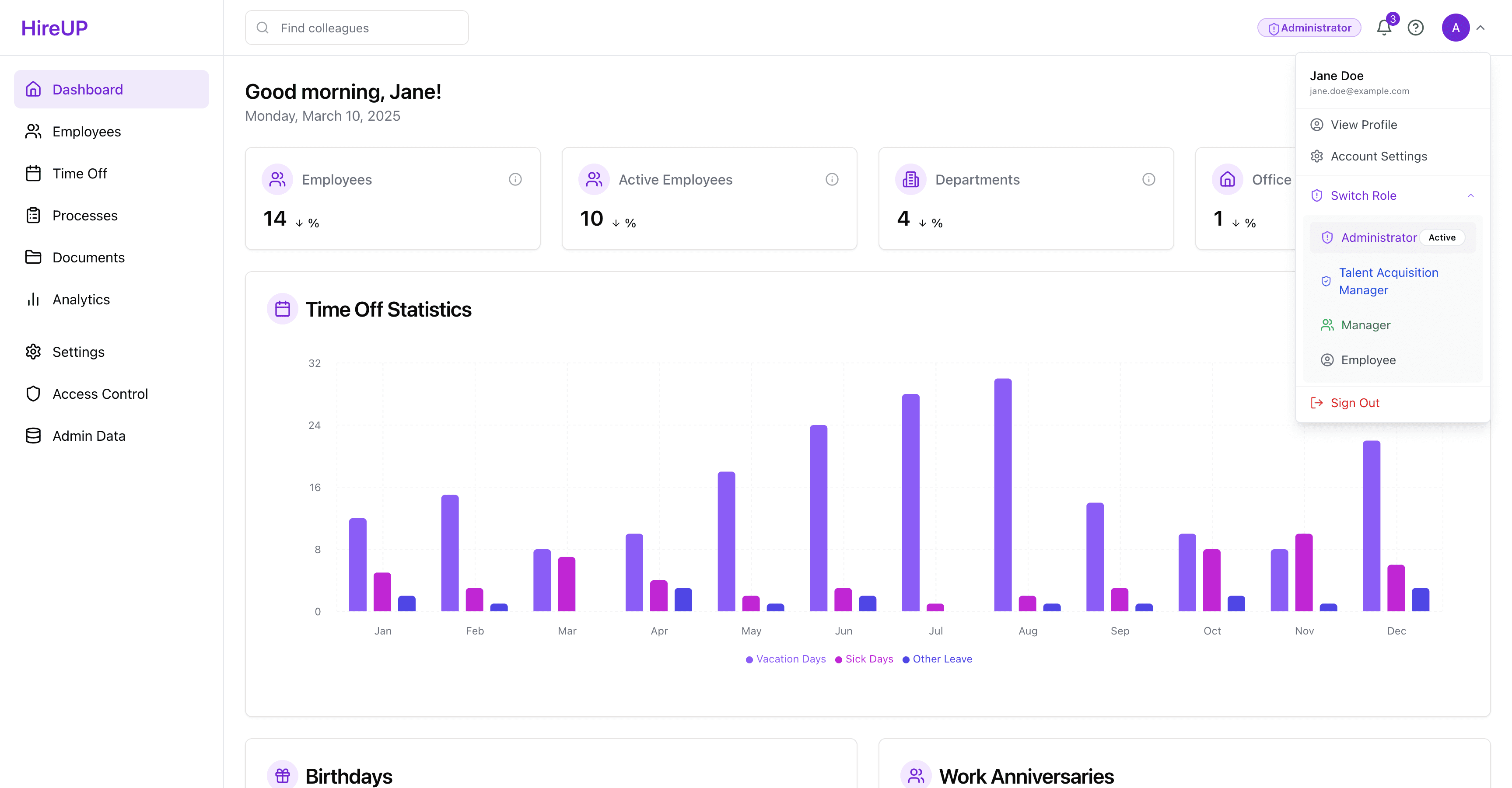
The profile dropdown showing role switching between Administrator, TAM, Manager and Employee
Where things broke down
The org tree was the clearest example of where AI-assisted coding hit its limits. The structure looked reasonable in simple states — CEO at the top, directors and reports below — but became unstable as data relationships grew more complex. I spent a big amount of time on it and had to roll back to previous checkpoints multiple times. The time-off request flow had a similar story — the calendar view displayed correctly, but completing a request end-to-end was never fully resolved.
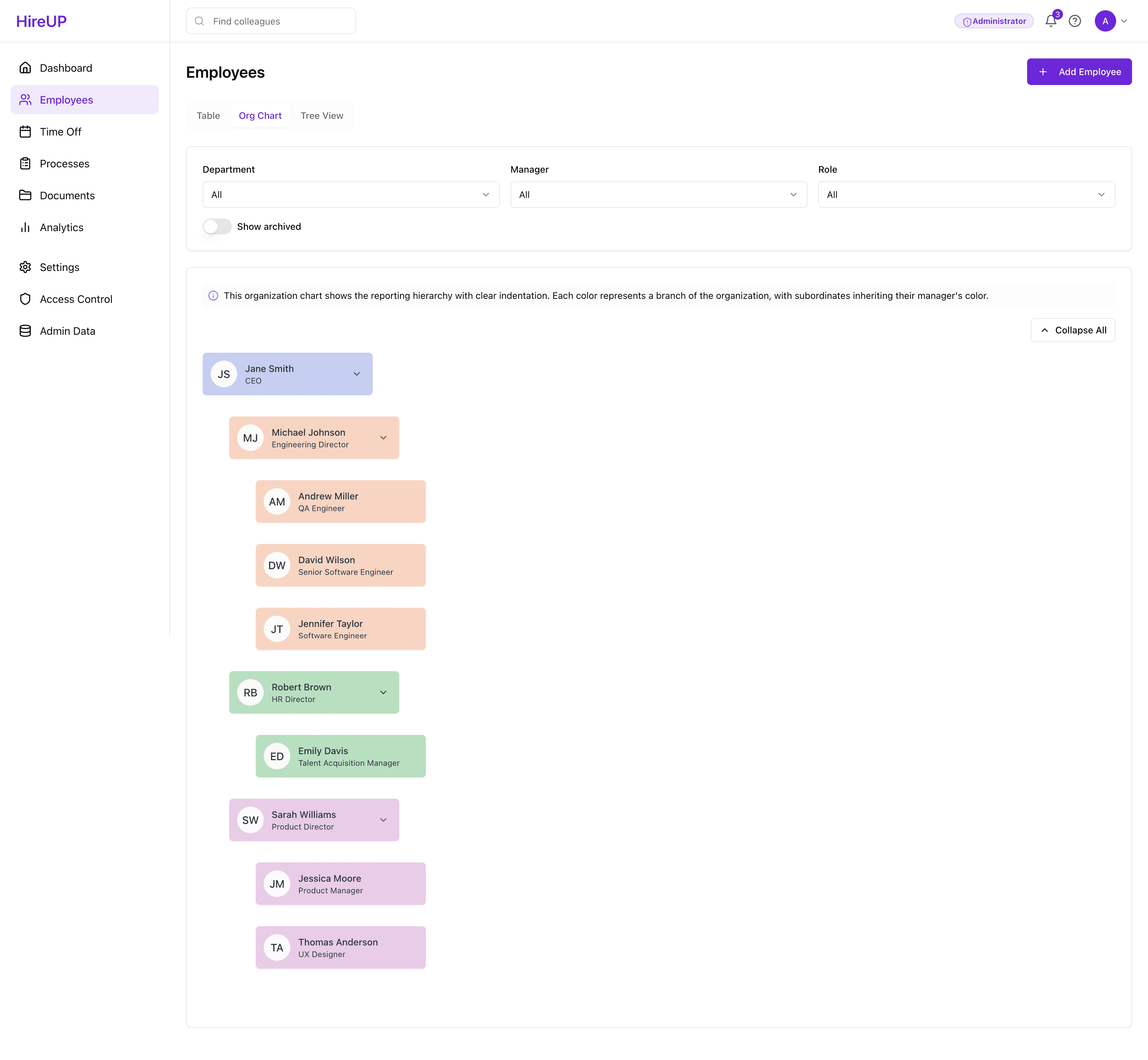
The org tree reached a workable state with simple data but broke down as relationships grew more complex
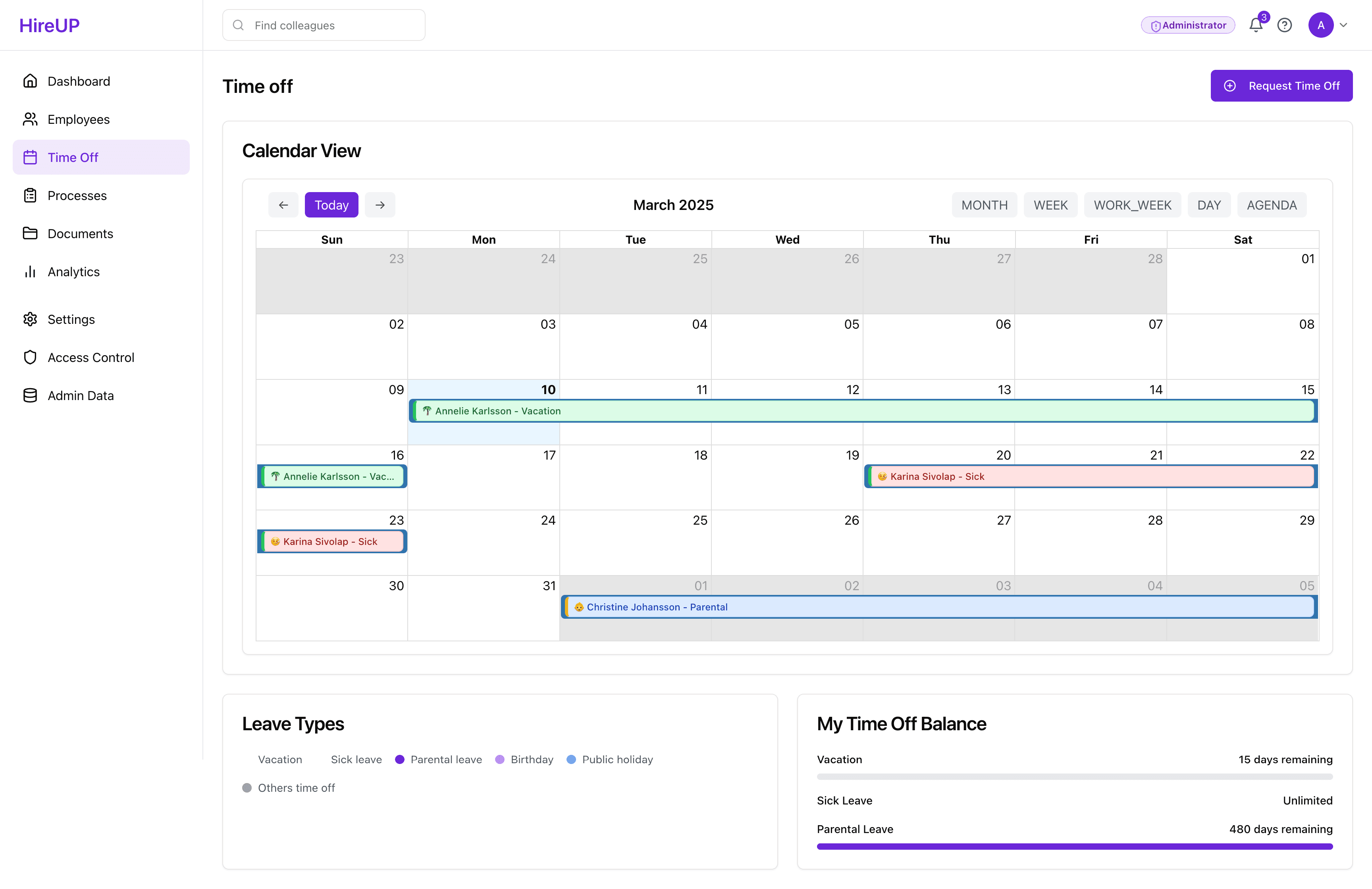
The time-off calendar view showing team absences across March 2025 — displayed correctly, but the request and approval flow was never completed.
What the process actually looked like
One of the most honest things I can show is what working with the AI actually felt like. At one point I needed to anonymise employee data for screenshots — the AI built an anonymisation toggle directly into the app, activated via an eye icon in the header. At another point, when the org chart broke, the AI helped me roll back to a checkpoint. The tool was useful for rapid iteration, but it required very specific instructions, and catching errors that the AI didn't flag was a constant part of the work.
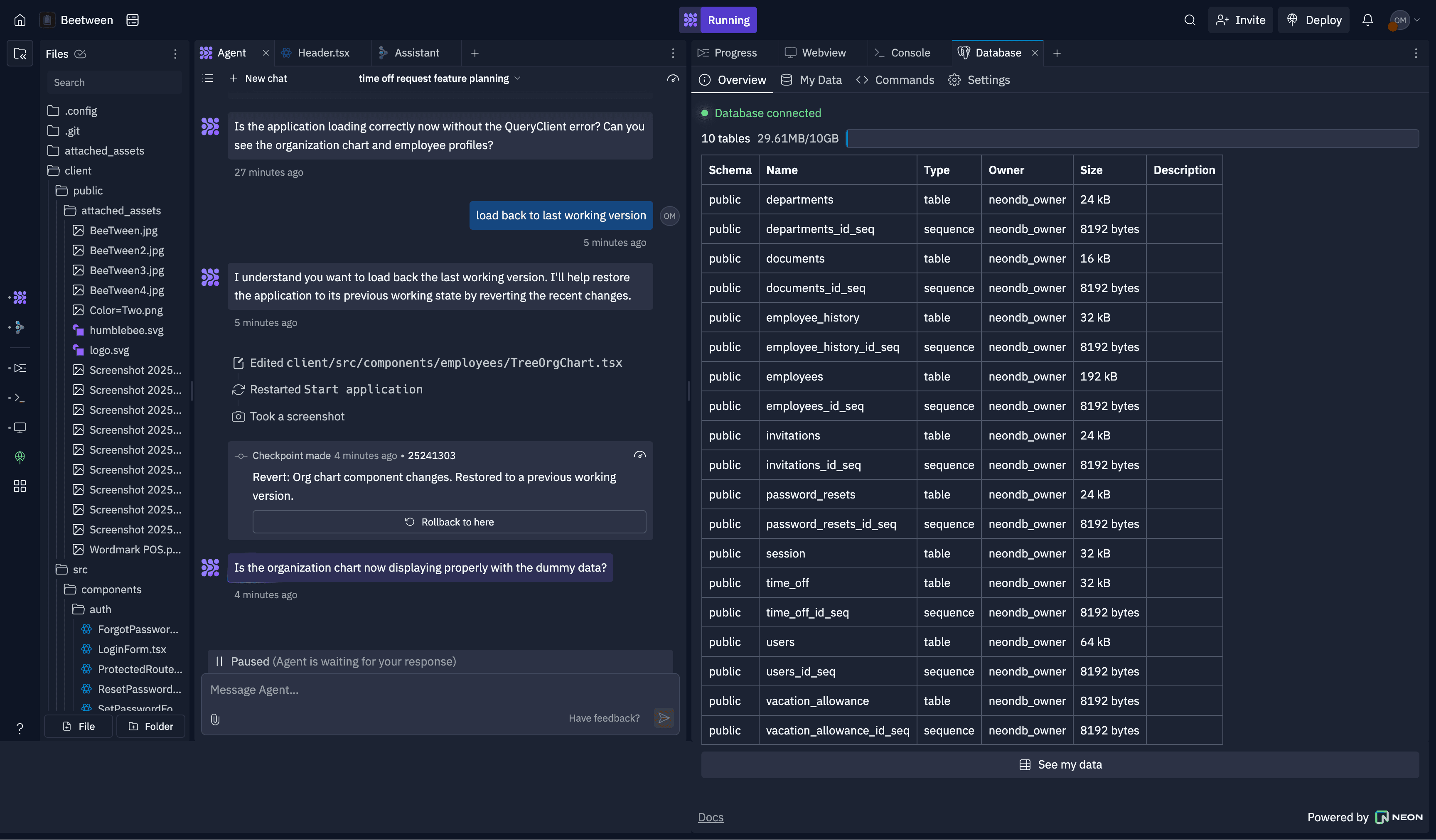
Working with the AI agent inside Replit — directing the build through conversation, reviewing code changes and iterating in the web preview alongside.
Reflections
Building is a different kind of thinking than designing. The moment the prototype was running with real data and real interactions, decisions that had seemed clear in my head became immediately questionable. What should an Admin see first? What happens when a manager is also an employee? These questions exist in Figma too, but they are easier to ignore. A running prototype makes them unavoidable.
Knowing when to build and when to mock is the real skill. The org tree should never have been built in Replit. It was a complex data visualisation with unstable relationships — exactly the kind of thing that belongs in Figma until the logic is fully resolved. The filtering flow, on the other hand, was worth building because the interactivity was the point. Learning to make that call faster is what I'd take into the next project.
Directing AI output is a design skill. The quality of what Replit produced was directly proportional to the clarity of my instructions. Vague prompts produced components that looked right but didn't hold together as a system. Specific prompts — with clear entity relationships, role logic and edge cases spelled out — produced output I could actually build on. This is not different from writing a good design brief or a clear Jira ticket. The medium is new; the thinking is not.
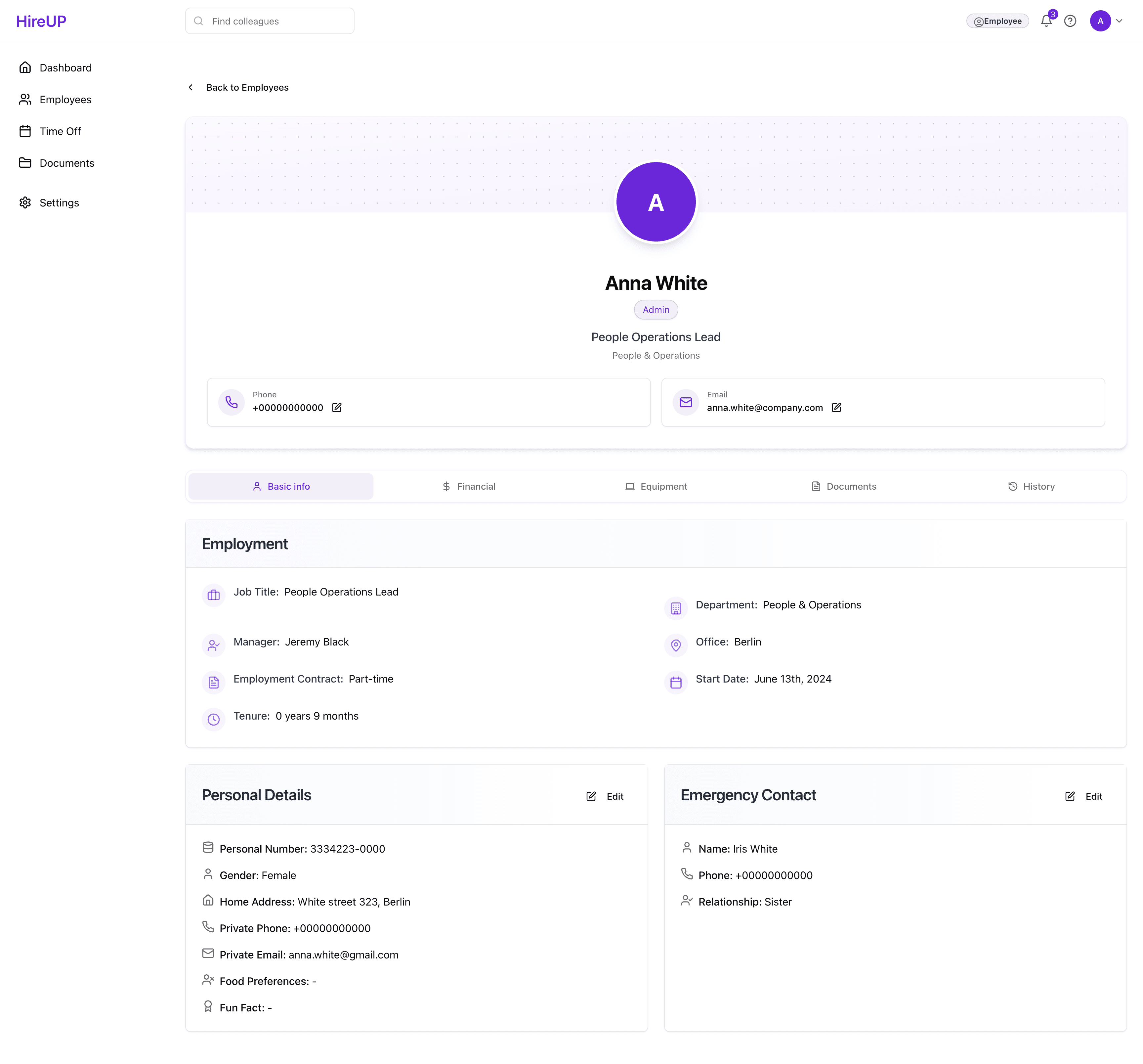
The employee profile in the Admin role view — tabbed navigation across Basic info, Financial, Equipment, Documents and History.
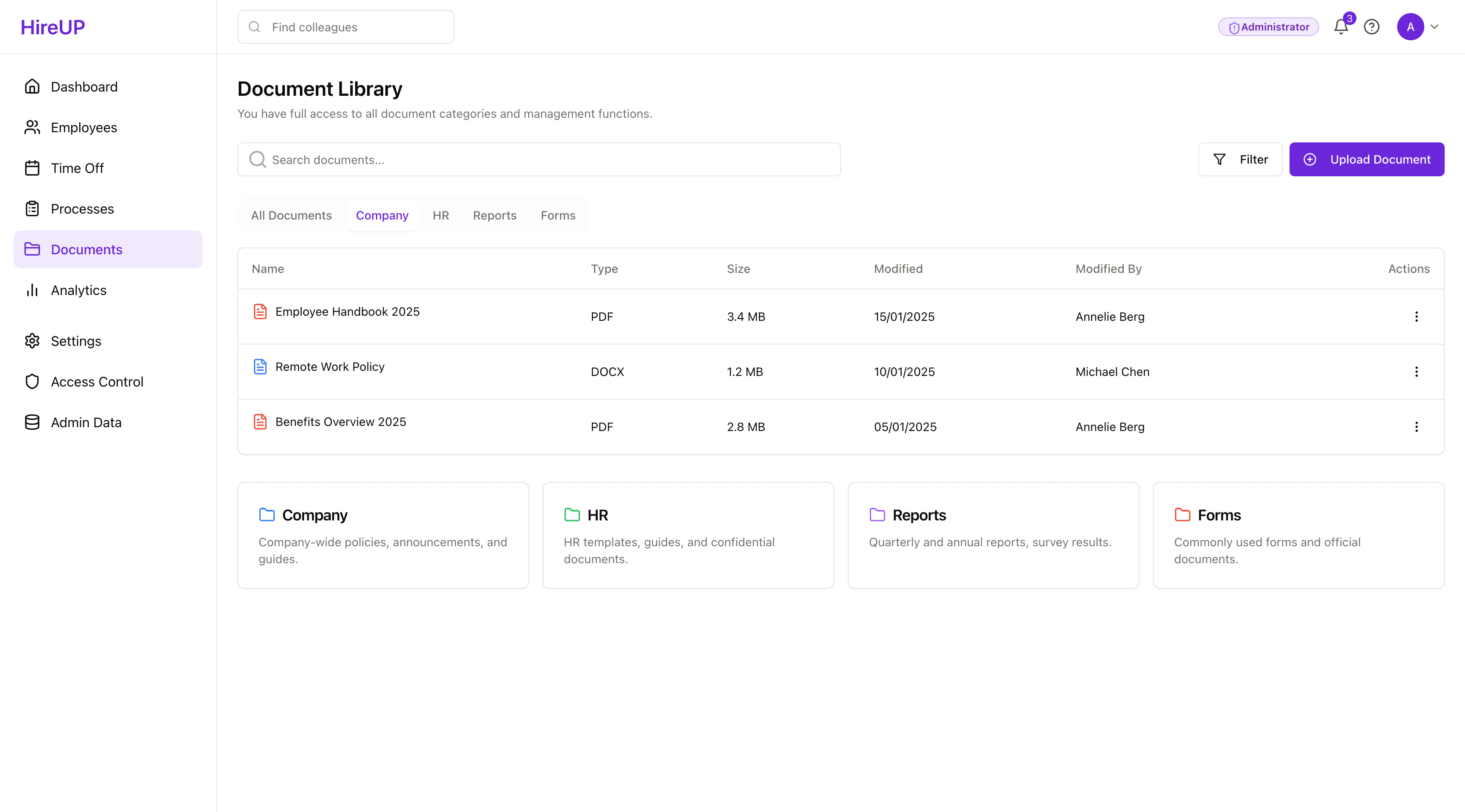
The Document Library in the Admin role view